Home Network V2: The UniFi Upgrade
· Jannik Schröder
Introduction
About two years after setting up my initial homelab network with TP-Link equipment, I decided it was time for a major upgrade. While the TP-Link setup served me well, I wanted more advanced security features, better management capabilities, and a proper Zero Trust architecture. The answer? UniFi.
This article documents my migration from the TP-Link ER8411 router and managed switches to a full UniFi ecosystem, centered around the UniFi Dream Machine Pro Max.
Why UniFi?
The decision to switch came down to several factors:
- Unified Management: Single pane of glass for all network devices
- Advanced Security Features: IDS/IPS, traffic analysis, and threat management built-in
- Dynamic VLAN Assignment: MAC-based VLAN assignment without the complexity of 802.1X certificates
- Object-Oriented Networking: Group-based firewall rules and access control
- Seamless Ecosystem Integration: Network, Protect, Access - all in one platform
- 10G Backbone Support: Native SFP+ ports on UniFi switches
The New Hardware
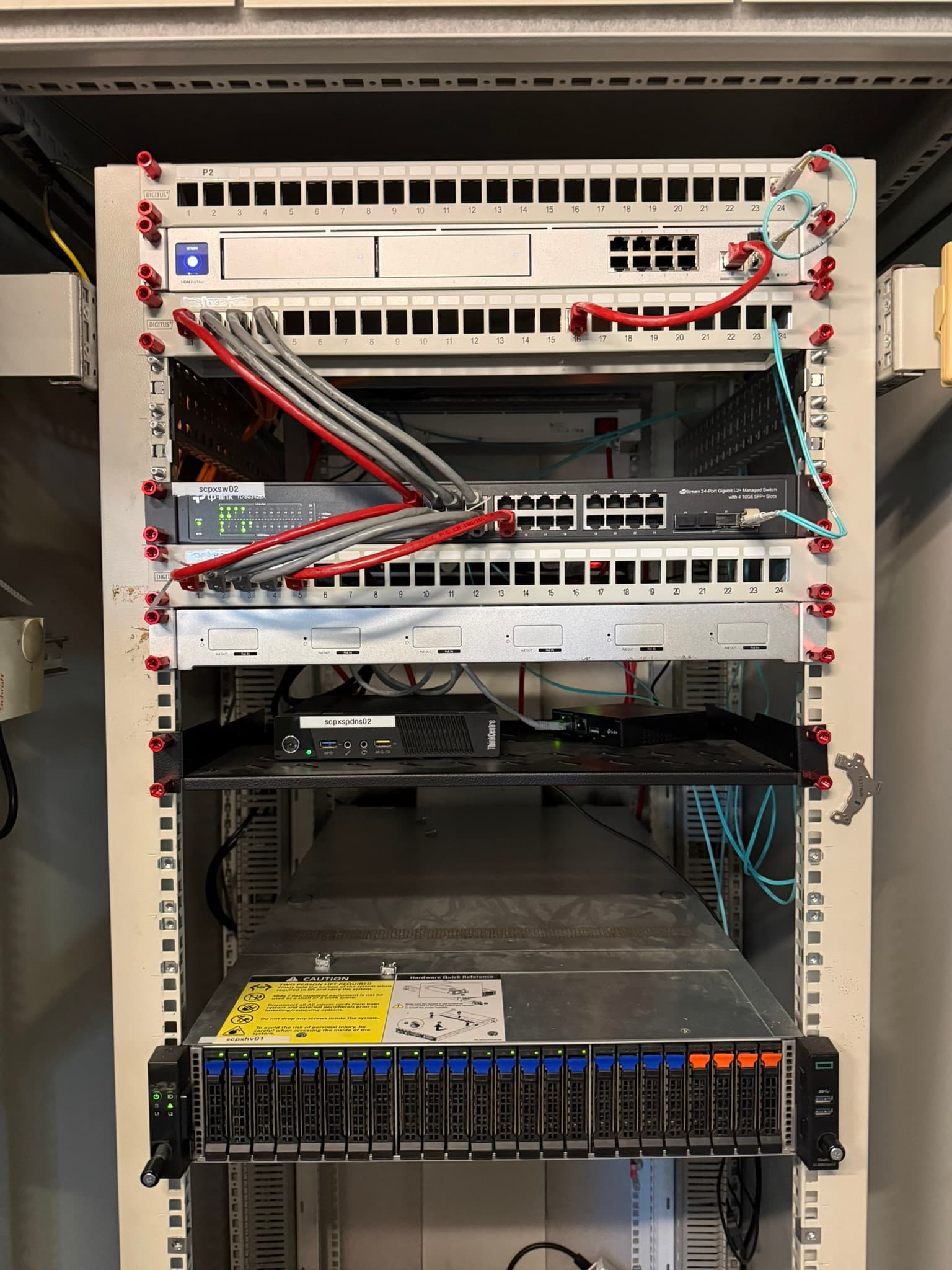
Core: UniFi Dream Machine Pro Max
The heart of the new network is the UDM Pro Max. This all-in-one device handles:
- Routing and firewall
- UniFi Network Controller
- UniFi Protect with AI-powered video analysis
- IDS/IPS with up to 10 Gbps throughput
Switches
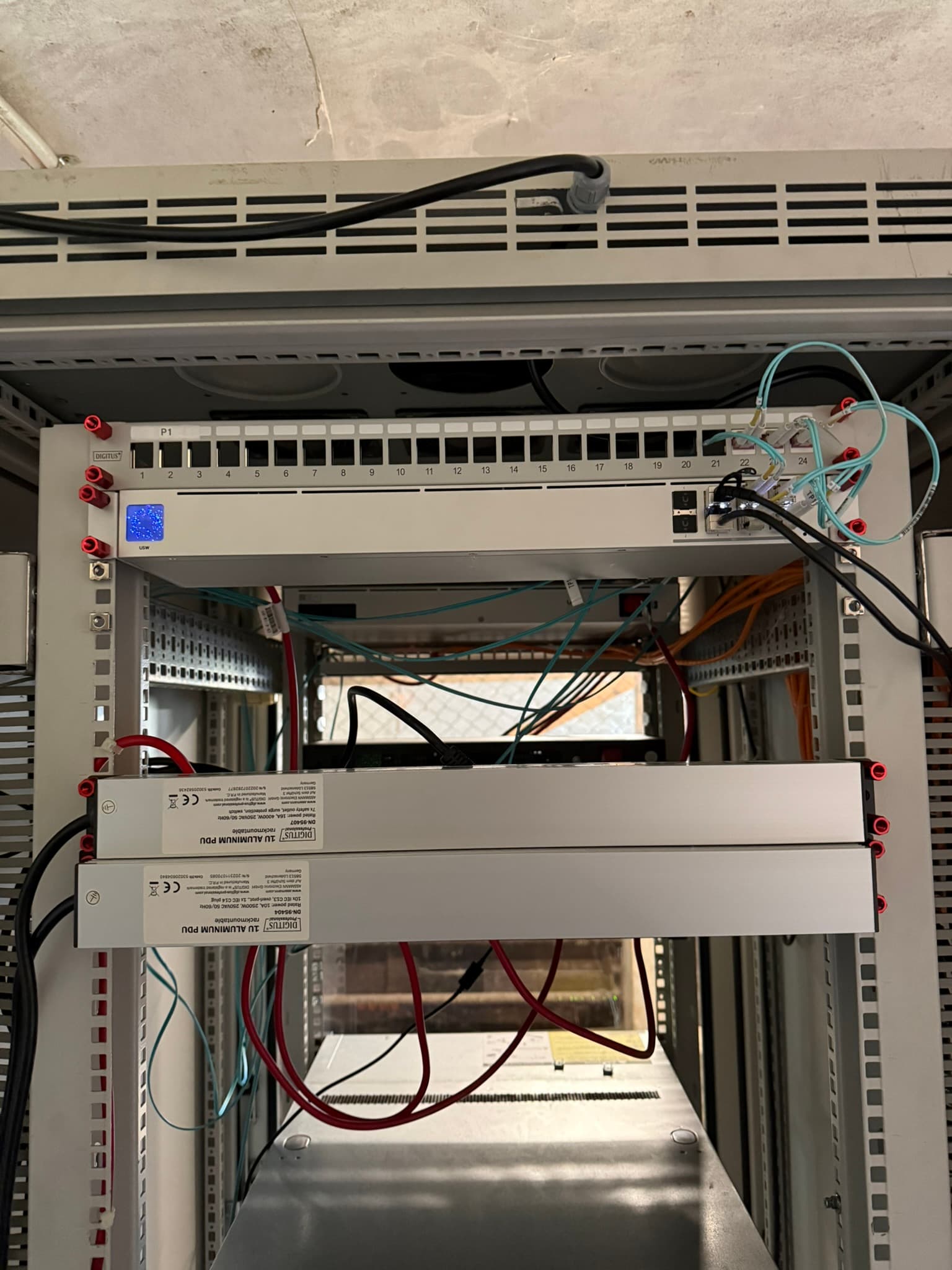
The switch topology is built around a USW Aggregation as the Top-of-Rack (ToR) switch, providing high-speed interconnects to all other switches via 10G SFP+ fiber uplinks.
| Device | Role | Connectivity |
|---|---|---|
| USW Aggregation | Top-of-Rack backbone switch | 8x 10G SFP+ |
| USW Pro Max 24 PoE | Access switch for end devices (in deployment) | 24x 2.5G PoE+, 2x 10G SFP+ |
| USW Flex 2.5G PoE (2x) | Edge switches for cameras and access points | 5x 2.5G PoE, 1x 10G SFP+ uplink |
This topology ensures 10 Gbps uplinks between every switch - no bottlenecks anywhere in the backbone.
WiFi
As part of this upgrade, I also migrated to UniFi WiFi access points. I've deployed 5x U7 Lite access points throughout the building, providing full WiFi 7 coverage.
This was essential for Object-Oriented Networking to work properly - having all devices managed through the same controller means wireless clients get the same group-based policies as wired ones. A phone connecting via WiFi gets the same VLAN assignment and firewall rules as if it were plugged in via ethernet.
Outdoor coverage is planned for the future - likely a U7 Outdoor to cover the yard and outbuildings.
Network Architecture
VLAN Structure
One of the biggest improvements is a properly segmented network. I've moved from a relatively flat structure to a comprehensive VLAN setup:
| VLAN ID | Name | Purpose |
|---|---|---|
| 1 | Core | Switches, Router, and core infrastructure |
| 10 | LAN | Primary trusted devices (workstations, laptops) |
| 20 | Server | Production servers and VMs |
| 30 | MGMT | Management interfaces (iLO, IPMI, switch management) |
| 40 | Storage | High-speed storage traffic (iSCSI, NFS) |
| 50 | Storage MGMT | Storage management interfaces |
| 60 | Database | Isolated database servers |
| 70 | DMZ | Public-facing services |
| 80 | IoT | Smart home devices, sensors |
| 90 | Guest | Isolated guest network |
Why This Segmentation?
- Storage & Storage MGMT: Separating storage traffic from management prevents storage operations from impacting management access and vice versa
- Database VLAN: Databases contain sensitive data and should only be accessible from specific application servers
- DMZ: Public-facing services are isolated from internal networks
- IoT: Smart devices are notoriously insecure - they get their own sandbox
- MGMT: Management interfaces (like server BMCs) are highly sensitive and need strict access control
Zero Trust Architecture
The Philosophy
The core principle: trust nothing, verify everything. Every device must prove its identity before getting network access, and even then, it only gets access to what it absolutely needs.
Dynamic VLANs via MAC Address
In an enterprise environment, you'd typically use 802.1X with certificates for dynamic VLAN assignment. However, in a home environment, deploying and managing certificates across all devices is impractical.
Instead, I'm using MAC-based VLAN assignment:
- Unknown devices are placed in a quarantine VLAN with no network access
- Known MAC addresses are automatically assigned to their designated VLAN
- RADIUS integration handles the authentication and VLAN assignment
Yes, MAC addresses can be spoofed. But combined with other security measures (IDS/IPS, traffic analysis, physical security), it provides a reasonable balance between security and usability for a home network.
Object-Oriented Firewall Rules
UniFi's firewall allows creating groups for both devices and services. Instead of managing individual IP-based rules, I define:
Device Groups:
servers-web- Web serversservers-db- Database serversclients-trusted- Trusted workstationscameras-outdoor- Outdoor surveillance camerasmanagement-interfaces- All BMC/iLO/IPMI interfaces
Service Groups:
services-http- HTTP/HTTPS portsservices-ssh- SSH accessservices-database- Database ports (MySQL, PostgreSQL, etc.)
Then firewall rules become readable:
clients-trusted→servers-web:services-http✅servers-web→servers-db:services-database✅IoT→servers-db: ANY ❌
This approach scales much better than traditional IP-based rules and is self-documenting.
UniFi Protect & AI
Camera Integration
My existing ONVIF-compatible cameras were easily integrated into UniFi Protect. The UDM Pro Max serves as the NVR, storing all footage locally.
AI-Powered Analysis
With the UniFi AI Port, all camera footage is analyzed in real-time for:
- Person detection
- Vehicle detection
- Package detection
- Smart motion zones
This transforms simple surveillance cameras into intelligent security sensors, with notifications that actually matter instead of every tree moving in the wind.
UniFi Access: Physical Security
The Project
Living in a renovated farmhouse, the main entrance door has traditionally always stood open - a common practice in rural areas. With a new door being installed, I'm taking the opportunity to modernize access control.
The Setup
The new door will be equipped with UniFi Access:
- NFC Card Reader: Primary access via UniFi Access cards/fobs
- Traditional Key: Backup mechanical access (because technology fails)
- Remote Unlock: Can grant access remotely via the UniFi Access app
- Access Logs: Full audit trail of who entered when
This brings enterprise-grade access control to a historic building while maintaining the option for traditional key access.
10G Fiber Backbone
Every switch-to-switch connection now uses 10G SFP+ with fiber optic cables. This provides:
- No bottlenecks: Full 10 Gbps between any two points in the network
- Future-proof: Ready for multi-gig client devices
- Electrical isolation: Fiber eliminates ground loop issues between buildings/floors
- Distance: Can span longer distances than copper without signal degradation
With the USW Aggregation as the central point, any device can communicate with any other at wire speed.
The Migration
Preparation
Unlike my first network migration (which resulted in 3 days of downtime), I planned this one more carefully:
- Documented everything: Current IP assignments, VLAN configurations, firewall rules
- Pre-configured the UDM Pro Max: Set up as much as possible before the cutover
- Staged deployment: Migrated one switch at a time
Execution
The actual migration took place over a weekend:
- Replaced the TP-Link ER8411 with the UDM Pro Max
- Installed the USW Aggregation as the new backbone
- Swapped edge switches to USW Flex 2.5G PoE units
- Migrated WiFi to UniFi access points
- Integrated cameras into UniFi Protect
- Verified each VLAN and firewall rule as devices came back online
- Fine-tuned IDS/IPS settings to reduce false positives
Total downtime: approximately 2 hours (a significant improvement over V1!)
Lessons Learned
- Plan your VLANs before deployment: Changing VLAN assignments later is painful
- Document MAC addresses: Essential for MAC-based VLAN assignment
- Start with permissive firewall rules, then tighten: Better to have working access first, then lock down
- IDS/IPS needs tuning: Out-of-the-box settings will generate many false positives
- Backup your configuration: UniFi makes this easy - use it!
- Ecosystem consistency pays off: Having all devices in one management plane simplifies everything
What's Next?
- USW Pro Max 24 PoE deployment: Currently being installed to expand capacity
- UniFi Access installation: NFC door access for the Dielentür
- 802.1X for corporate devices: Certificate-based auth for devices that support it
- Expanded camera coverage: More angles, more AI detection zones
Conclusion
The migration to UniFi has been transformative. The unified management, combined with proper network segmentation and Zero Trust principles, has given me enterprise-grade security in a home environment.
The ecosystem approach - Network, Protect, Access, WiFi all in one platform - means that Object-Oriented Networking actually works end-to-end. A camera in the IoT VLAN can only talk to the NVR, a guest on WiFi is properly isolated, and every device is accounted for.
The 10G fiber backbone with the USW Aggregation at its heart ensures I won't hit performance bottlenecks anytime soon, and the dynamic VLAN assignment makes adding new devices a breeze while maintaining security.
Is it overkill for a home network? Absolutely. But that's what homelabs are for - learning and experimenting with technologies that would be too risky to test in production environments.
If you're considering a similar upgrade, my advice: plan thoroughly, migrate in stages, and don't be afraid to start over if something doesn't work. The end result is worth it.